• File Sharing Made Simple
  • Smart enough for business. Simple enough for people.

Contact Our Sales Department: 810-310-0101

Online FAQ

The Basics

1. What is PerfectShare?

PerfectShare is a web based document sharing and storage tool for non-technical people. Think of it as an electronic file room where you rent as much space as you need. You have your own file cabinets, drawers, folders, and documents. Sending and receiving documents has never been easier. In fact, using PerfectShare is drop dead simple. If you have ever used Windows Explorer, you already know PerfectShare

One of the most important aspects of the Internet is the ability to exchange information. Using Email to send large files or recieve large files is extremely inefficient — if not impossible. File sizes are getting larger and larger. Email technology has not advanced at the same pace. This is why PerfectShare was developed.

Think of PerfectShare as an online tool which facilitates sending and receiving all kinds of documents and files. Problems with large files and bounced emails are a thing of the past. Easily transfer files with your team members.

Solutions like VPN and FTP may sound like so much alphabet soup. Plus, they can be expensive and complex to set up and maintain, even when you outsource them. PerfectShare allows you to focus on your core competancy. You can work on expanding your business, not spend time becoming a computer expert.

While your busy building your brand, PerfectShare is right there with you pushing your identifty front and center. Your PerfectShare account is completely private branded with your name and logo on every page!

Right this minute there are tool builders, manufacturers, graphics artists, lawyers, video and music production companies, medical, and many other industries using PerfectShare.

2. How is PerfectShare different?

Most data and document management software is bloated with features no one can use and is nearly impossible for a first time user to figure out without a manual. PerfectShare is intuative with a minimum of unused features.

We believe in a philosophy that allows us to deliver the most important, relevant information in the cleanest, clearest way possible - less software - doing more, acting smarter.

3. How does the PerfectShare service work?

Perfecthare is a web based file transfer and visualization service built for businesses and organizations for sending, receiving, and viewing files from multiple contacts such as clients and contractors. It eliminates the hassles of FTP and limitations of Email.

Your files easily exchanged and viewed in one centralized secure location. An easy to use interface allows you to grant access to specific files on a user by user basis. You and your team members can access this information in the office, as well as while in the field. Access can be granted anywhere there is an internet connection.

PerfectShare is about ease of use. Your contacts simply login and see only those items to which you have granted access. Further, your external users are totally isolated from one another and therefore cannot "see" other users unless you want them to.

Your account is completely private branded with your logo.

File sharing is extremely flexible. Whether you wish to have access control managed by a central administrator or multiple individuals, PerfectShare will accommodate you

4. What are the Benefits of using PerfectShare instead of email or FTP?

FTP was designed for account based sharing of files. Although it continues to be useful, it doesn't scale well to address the needs of business users who demand to instantaneously and securely share large files. Moreover, the FTP site owner must administer each account for both end user senders and recipients who in turn are often not comfortable with the FTP process.

While laptops and other portable devices are vulnerable to theft or damage, an internet file sharing system gives the user peace of mind because your important documents and files are safe and accessible, no matter where the user is.

Imagine:

No more losing items when upgrading a computer. Comfortably send and receive files knowing a secure location to permanently store them is available. No more getting to important meetings and your CD-ROM is scratched or unreadable. No more traveling between cities and leaving important documents behind. PerfectShare is the ideal "access from anywhere, anytime" Internet file sharing system to support an e-document delivery application to individuals, be they employees or customers.

What PerfectShare Gives You:

Access to your files Anytime, Anywhere - Whether at home, the office or anywhere you travel, you have immediate access to important documents and files 24 hours a day, 7 days a week

Access to your files from any device. Workstation, Laptop, iPad, iPhone, Android - All that is needed is a device with an Internet connection, and a browser

Ease of Use - All that is needed is an Internet connection, a PC or any mobile device.

PerfectShare requires nearly zero administration. Users send files through a Web interface as easily as sending an e-mail with an attachment. The recipient receives an e-mail with a link to the file and downloads the file by simply clicking on a Web URL.

Share any size file securely - PerfectShare gives business users an easy and intuitive way to send large documents to both internal as well as external recipients. All user downloads are securely recorded.

Manage digital assets - Any file sent and downloaded is tracked, and files can be automatically deleted. after a system configurable length of time. Optionally, you also archive rather than delete files.

5. What exactly does Private Branded mean

The application is branded with your logo and any text content you wish us to include. To your users, the service simply appears to be the data exchange portal for your company.

Advertising never appears inside your PerfectShare account.

6. Exactly how do I share a file with someone?

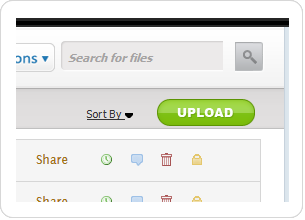
Sharing a file is a two setp process. First you have to upload the file onto the system. In this step, you simply log into the site, go to your Home Folder. Click Upload

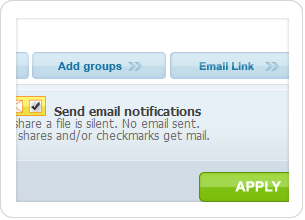
Then click the Share button next to the file name that you want to send, and then click the name of the person or persons to whom you wish to grant access. Once you do that, they will be sent an email notifying them that the files are available for them to pick up.

It's just that simple.

7. How do my client and suppliers send file to me?

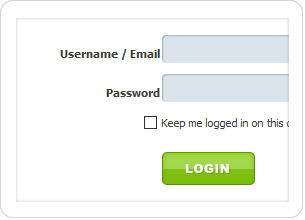
From the moment you sign up, people can send you files. Simply login and create a user name and password for anyone you would like to have access to your site. A Welcome Letter containing a link to your site as well as their user name and password will be sent to them immediately.

As part of the sign up process you will be provided your own URL or web address. Something like https://yourcompany.perfectshare.net They would then login. Click the Upload button and upload the files they want to send. You will automatically recieve an email notification letting you know that these new files are available. Easy.

8. Why a hosted service?

A hosted solution provides you with a number of benefits:

1) you won't need any new hardware.

2) you don't have to worry about maintaining the software.

3) new functionality can be introduced more rapidly without the hassle normally associated with software upgrades. From the customer viewpoint, PerfectShare is maintenance-free. That is the beauty of software as a service (SaaS).

Security

1. How secure is my data?

PerfectShare hosted products provide the security infrastructure necessary for customers to feel confident about placing sensitive information online for secure collaboration amongst employees, suppliers, customers and partners. Security and reliability are accomplished through careful planning at every level of the service: physical security, network monitoring, system architecture, hardware redundancy, data backup, application integrity, and the use of secure communication protocols.

User Authentication - Each user must select a unique user name and password that is re-validated upon subsequent visits. At the server level, the passwords are stored in an undecryptable format.

Secure Communications - Full 128-bit SSL (Secure Socket Layer) encryption can be employed during all communications with PerfectShare® services. SSL protects passwords and data during transmission across the public Internet by never transmitting data in “clear” text.

1. What type of security measures are in place?

The Security of a Bank… or better - People trust their bank with their money because banking practices are regulated and monitored according to federally set standards. You can entrust your electronic assets to PerfectShare. Our data storage facility and security measures are monitored and reviewed by both an internal and external audit staff and have received the following certifications based on our security, personnel and redundant intrusion detection systems and firewalls: HIPAA (Health Insurance Portability and Accountability Act) - For the healthcare industry. GLBA (Gramm-Leach-Bliley Act) - For the financial services industry. EU Data Protection Directive - For companies conducting business in the European Union . FISMA (Financial Integrity and State Managers Accountability Act).

We are committed to providing a trusted environment for storing and retrieving confidential information.

Getting Started

1. Does PerfectShare offer trial accounts? What about cancellation?

Yes. We offer a 14 Day Free Trial! If you cancel a paying plan within 30 days of signing up you won't be charged a thing. There's no long term contract (it's just month-to-month) and you can cancel at any time, but refunds can not be issued after your initial 14 day trial and we don't prorate for partial months. Note that only new accounts are eligible for 14 day free trials — upgrades do not qualify.

2. Are your prices flat monthly prices or are they based upon the number of users ?

Each PerdectShare plan comes with a pre-defined number of users and disc space. You will find we are the flat out lowest price per user anywhere.

There are no additional per-user charges — the flat monthly price is the same as long as you stay within the limits of your plan.

3. Payments - Is there a long term commitment?

There is no long term commitment. Everything is month-to-month. If you cancel, you'll be billed for the current month, but you won't be billed again.

4. Can we pay with a single annual payment? Will you invoice us? Do you accept a PO?

If your firm would prefer to pay in a single annual payment, we can invoice against a PO. Otherwise, all services are paid for with a credit card on a month to month basis. The choice is yours. Keep in mind that if you pay in a single annual payment and later decide to cancel, we do not refund. You simply will not be billed again. We recommend that you always sign up for a 14 Day Free Trial and make sure the PerfectShare service is for you. Then, later you can switch to annualized billing.

4. Can I change plans at any time?

Yep — and it's really easy. Simply email our support department. You can upgrade or downgrade at any time. Plus, we'll never hit you up with a "set-up" or extra "one-time" fee when you upgrade.